
Khầy Phán quick guide
A lunar calendar for the whole family: good days for each event, death anniversaries you never forget, plans and calendars shared with your family.
Download the PDF (6 pages, Vietnamese)
Start Pick a day Lock in Anniversaries Group calendars Quick add Every day Premium
The five slots at the bottom are the whole app
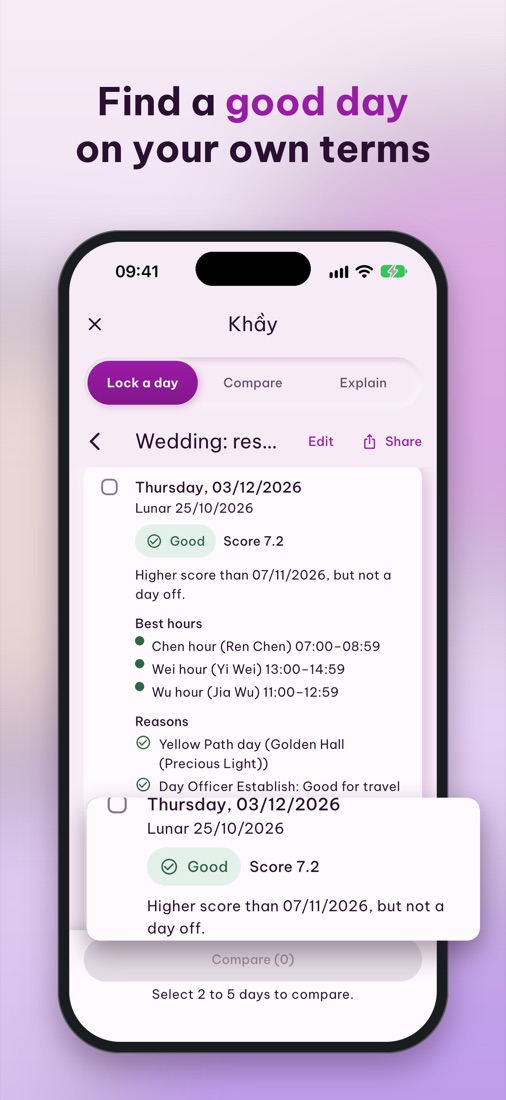
Pick a good day for a big event
More than a list of “lucky days”: Khầy Phán compares days for the event you plan and your real situation.
- Tap the round button in the middle, Lock a day.
- Choose the event: Wedding, moving in, grand opening, groundbreaking, travel, childbirth, taking office or signing a contract.
- Enter the birth dates of the people involved, the date range and your practical conditions (days off, weekdays, dates to avoid).
- Tap Find days. Each day shows the criteria it meets, the ones it misses and what to weigh.
- Open Why? for the explanation, or choose 2 to 5 days to compare side by side.
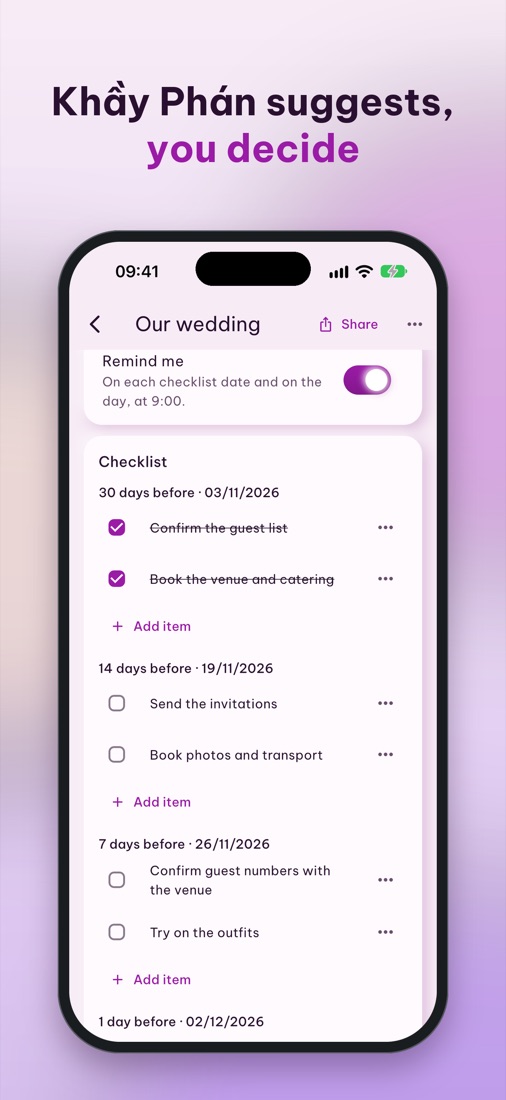
Lock in a day, get a checklist by milestone
- On the day you like, tap Lock in this day, give it a name (for example “Wedding”) and save.
- The day goes to the Planner with a Checklist by milestone: 30 days, 14 days, 7 days and 1 day before, and on the day.
- Turn on Remind me for reminders on your device; tick each item when it is done.
- Need to tell the family? Share the plan as text, without birth dates or personal details.
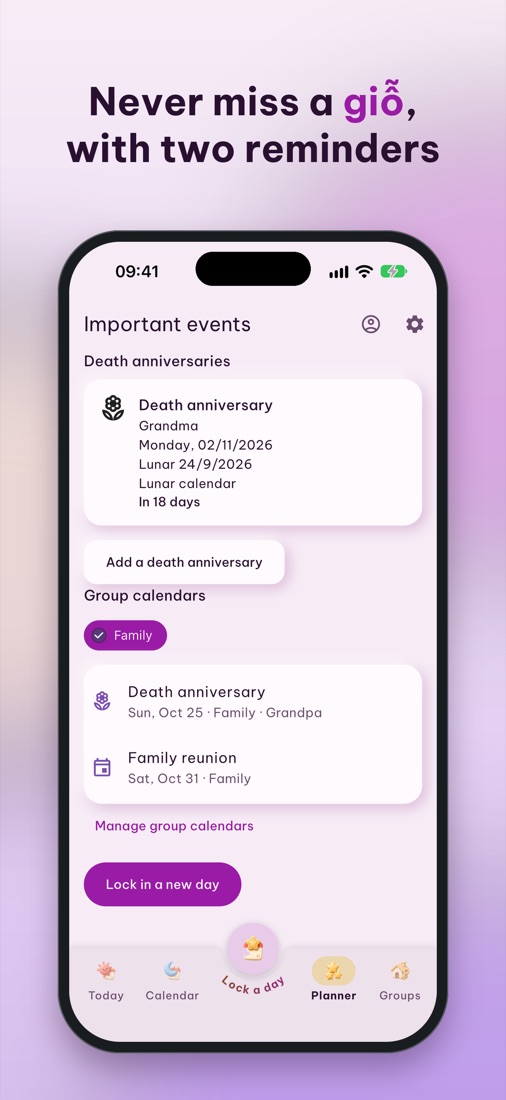
Never forget a death anniversary
- Go to the Planner → Add a death anniversary.
- Enter the date of death in the lunar calendar (leap months included) or the solar one, and a note with your relative's name if you like.
- Khầy Phán works out the solar date every year and reminds you 3 days and 1 day before, at 9:00.
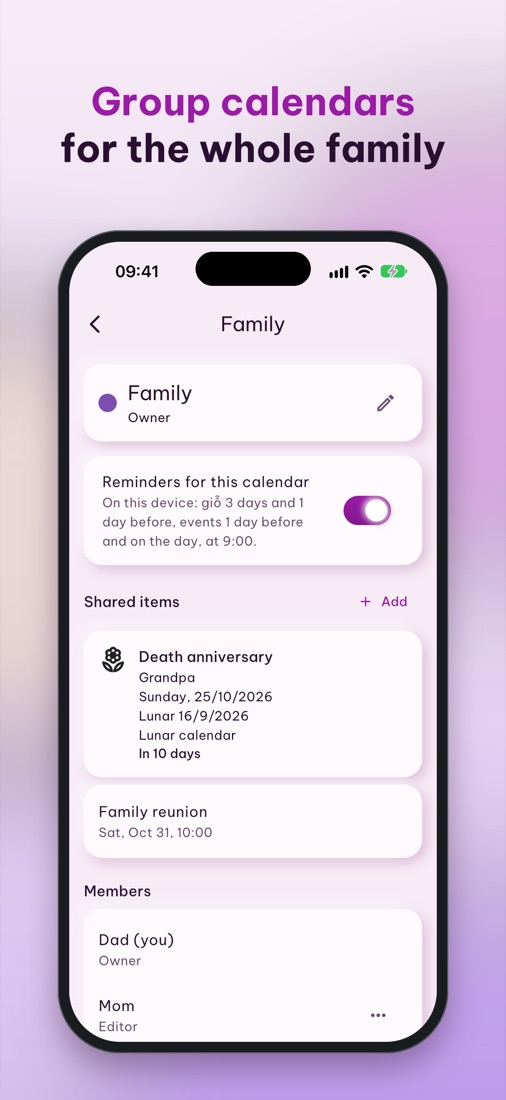
Group calendars for the whole family
- Open the Groups tab and sign in with Apple or Google.
- Tap Create a group calendar and choose Family, Friends or Work.
- Tap Invite people: send the link or the code, or let them scan the QR code. They choose Join with a code.
- Add death anniversaries, weddings, trips and get-togethers together. Everything shows next to your own entries in Calendar, Planner and Today.
- The first 3 group calendars you create are free; joining is always free.
- Only members can see a calendar; Report, Block and Contact us are right inside it.
- Each shared event has its own Notify before on your device.NEW
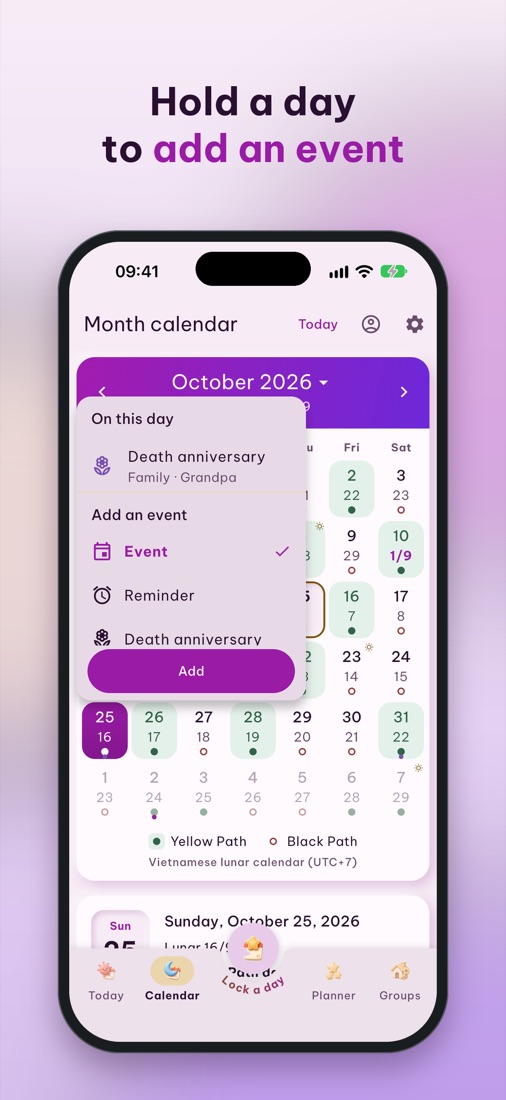
Touch and hold a day to add
- In the Calendar tab, touch and hold any day.
- Choose Event, Reminder, Death anniversary, Birthday or an event to pick a day for, then tap Add.
- Set Notify before in minutes, hours or days, up to 30 days ahead.
- Birthdays by the solar or the lunar calendar, with reminders 1 day before and on the day.
- A day's existing entries are listed first in the menu, so you can open them quickly.
- Your own events, reminders and birthdays stay on your device.
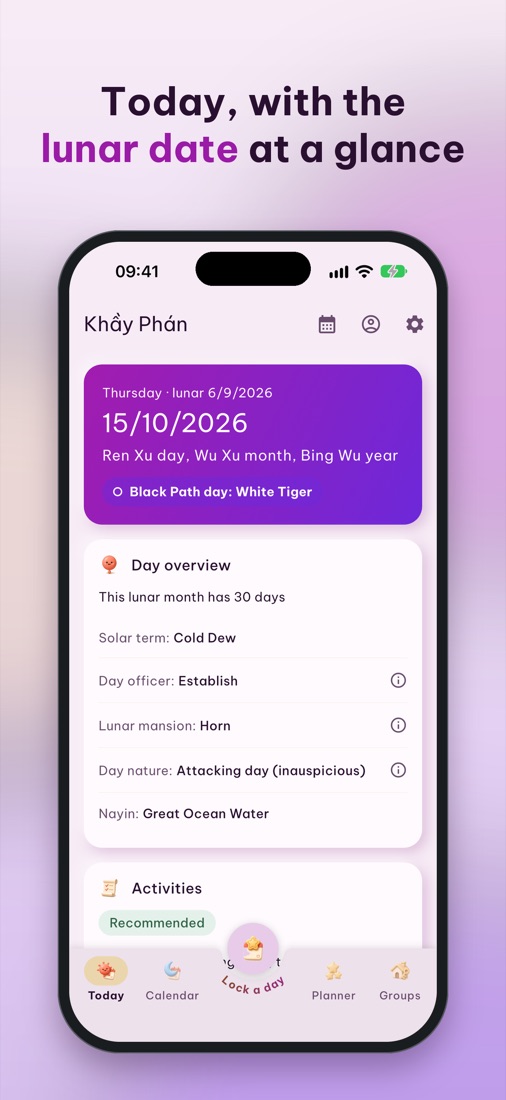
Open the app, see today's lunar date
- The lunar date, the stem-branch day, whether it is a Yellow Path or a Black Path day, and the good hours.
- What to do and avoid; clashing ages; travel directions; good and bad stars.
- The Coming up card gathers death anniversaries, birthdays and group calendar events of the next 30 days.
- The month calendar marks solar terms and holidays; double-tap a day for its details.
Home-screen & lock-screen widgets
Add the “Khầy Phán” widget to see the lunar date right on your home screen. Premium adds 4 widgets: Planner, Do and avoid today, Yellow Path hours today and Today at a glance.
Apple WatchNEW
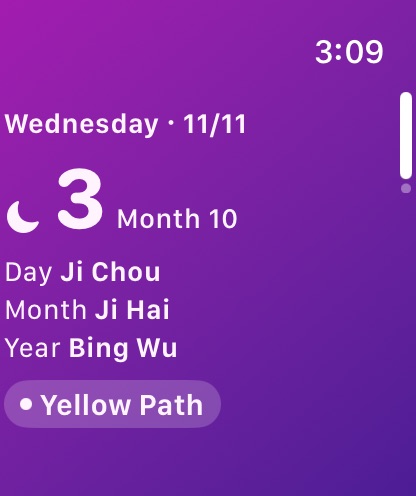
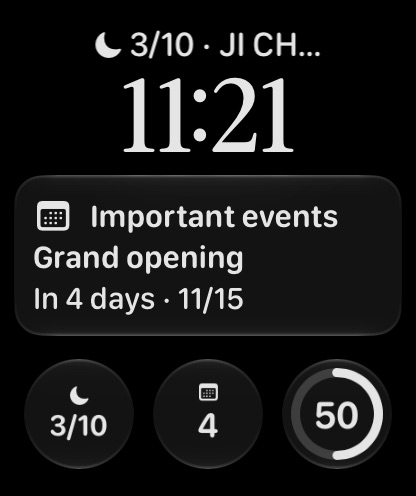
Today's lunar date and stem-branch on your wrist, with the Lunar date complication. With Premium: the good hours, upcoming events and two more complications, Yellow Path hours and Next event.
Lunar day reminders
Settings → Lunar day reminders: the 1st and 15th of each lunar month (leap months included) and the lunar festivals, at 9:00 the day before.
Languages & palettes
Vietnamese, English, Chinese (Traditional and Simplified) and Korean; dates always follow the Vietnamese lunar calendar (UTC+7). 8 colour palettes, Violet Dream by default.
Almost everything is free
Premium is for anyone who wants the full experience, with no ads.
| Feature | Free | Premium |
|---|---|---|
| Good days for each event, “Why?” explanations, comparing days | ✓ | ✓ |
| Lock in a day, checklist by milestone, reminders | ✓ | ✓ |
| Death anniversaries, birthdays, quick add, Notify before up to 30 days | ✓ | ✓ |
| Reminders for the 1st, the 15th and lunar festivals | ✓ | ✓ |
| Group calendars: join as many as you like | ✓ | ✓ |
| Group calendars: create your own | 3 calendars | More after 3 |
| Small widget and lock-screen widgets | ✓ | ✓ |
| 4 Premium widgets (Planner, Do and avoid, Yellow Path hours, Today at a glance) | — | ✓ |
| Apple Watch: lunar date, stem-branch, Lunar date complication | ✓ | ✓ |
| Apple Watch: good hours, upcoming events, 2 complications | — | ✓ |
| No ads anywhere in the app | — | ✓ |
Get Premium: Settings → Khầy Phán Premium, or tap Remove ads on the ad strip. A subscription that renews automatically; the app shows the plans and prices for your region; manage or cancel it in your App Store account settings.
Private by default
No account needed: only group calendars need a sign-in. Birth dates, plans, death anniversaries and your own events stay on your device. Crash reports and usage statistics are sent only if you turn them on. Details: Privacy policy.
Need help?
In the app: Settings → Help and support → Contact us, or email khiemnv.dev@gmail.com.
Note: Khầy Phán presents the lunar calendar and almanac as a reference to traditional culture. It is not advice and does not predict what will happen. The decision is always yours.